Why You’re Reading This Guide
VoIP phones were once limited to big enterprises with full IT teams managing complex PBX systems. Today, businesses of every size — from remote teams and offices to call centers and hospitals — rely on VoIP every single day.
And with that growth comes one major challenge:
The market is FLOODED with endless options from dozens of brands, all claiming to be “the best.”
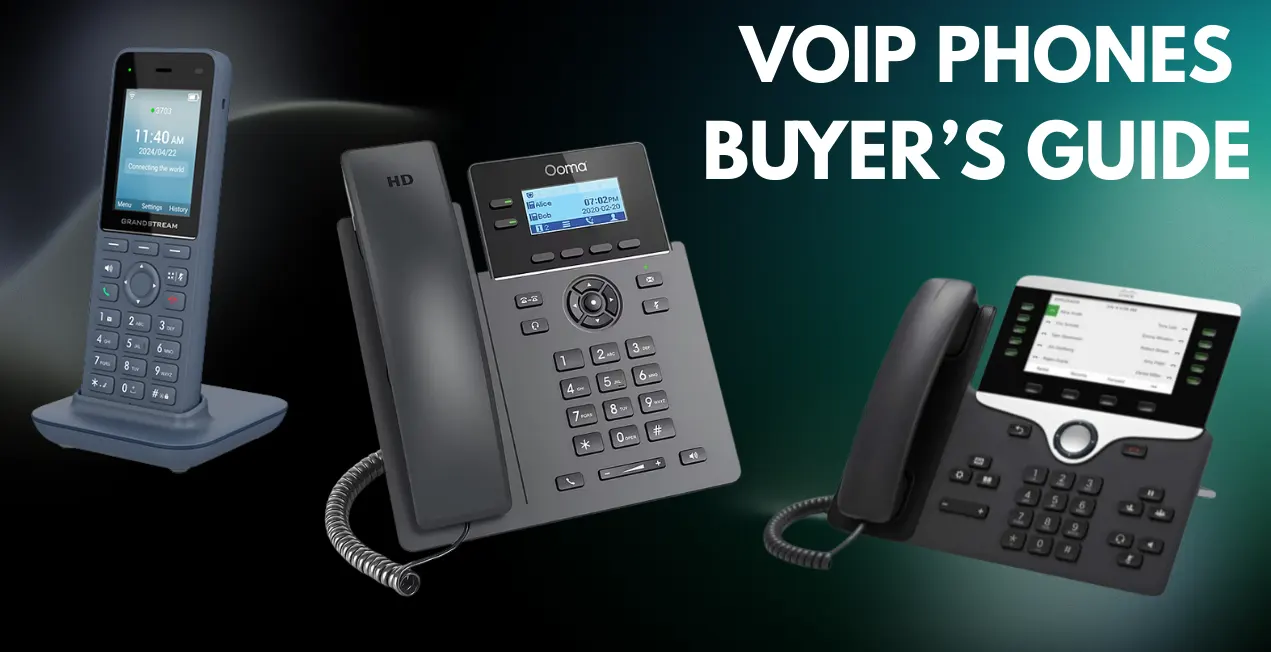
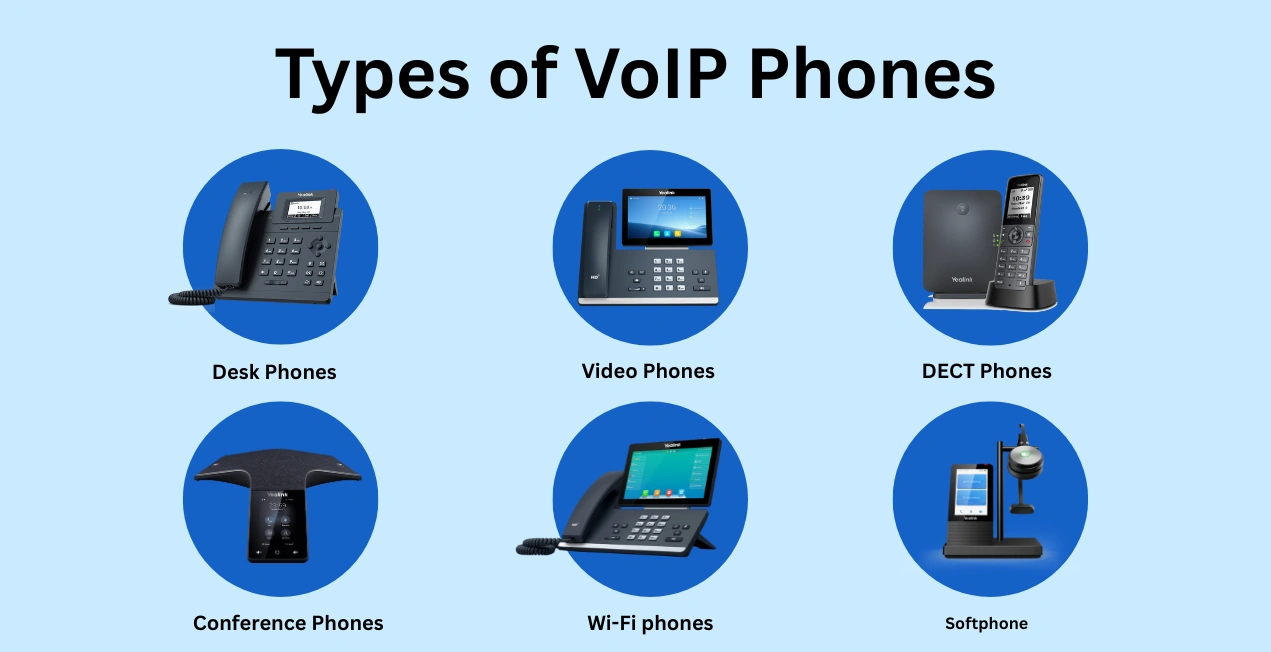
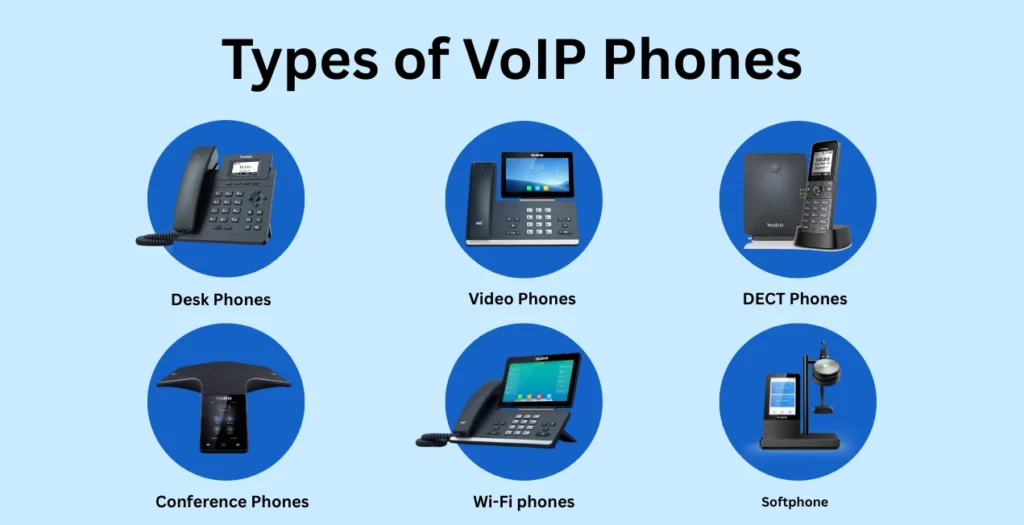
Desk phones, video phones, DECT phones, conference phones, Wi-Fi phones, softphones — it’s overwhelming.
But the real problem is this:
Most buyers don’t actually know what type of VoIP phone they need.
And when the wrong device is chosen, it leads to:
- Poor call quality
- Dropped or distorted calls
- Compatibility issues
- Frustrated employees
- Wasted budget
This guide exists to fix exactly that problem.
Spogmey helps thousands of businesses across the USA choose certified VoIP hardware every year. This buyer’s guide is built directly from:
- Real customer questions
- Real deployment issues
- Real pain points
- Real business setups
By the end of this guide, you’ll clearly understand:
- Which type of VoIP phone fits your use case
- Whether you need SIP, softphone, Wi-Fi, or DECT models
- Which features matter (and which are just marketing buzzwords)
- How to avoid costly mistakes during purchase
- How to future-proof your communication setup
About VoIP Phones:
Just like every major technology, VoIP has evolved — from basic “internet calling phones” into complete communication hubs for modern teams.
As businesses move toward cloud PBX, hybrid workplaces, and remote agents, choosing the right VoIP device directly impacts:
- Call clarity
- Customer experience
- Agent efficiency
- Security & compliance
- Long-term scalability
Yet most buyers still struggle because they don’t fully understand:
- How VoIP works
- Which features matter for different roles
- How network setup affects voice quality
- Which device type fits which business scenario
- Hidden mistakes that slow down communication
- Cost tiers and lifecycle planning
So, this complete VoIP Buyer’s Guide breaks everything down into simple, actionable steps — whether you’re:
✔ A beginner learning VoIP
✔ An IT manager upgrading office phones
✔ A business owner replacing old desk phones
✔ A company moving to cloud PBX
Why Video Conferencing Matters in 2025
The way teams communicate has changed permanently. Strong video conferencing is no longer optional — it’s the backbone of productive business.
Here’s why:
1. Remote + Hybrid Work Is Now Permanent
More than 70% of U.S. businesses use hybrid work setups, especially after COVID-19 hit.
That means:
- Staff join meetings from home.
- Clients join from multiple locations.
- Teams need consistent audio + video quality everywhere.
Without the right hardware, every meeting becomes:
- “Can you hear me?”
- “Is the camera blurry?”
- “You’re cutting out!”
A good system gets rid of all those problems.
2. Customers Expect Professional Virtual Meetings
If you’re presenting sales pitches, onboarding clients, or hosting demos online, your audio and video become part of your brand.
For example:
- Grainy video → looks unprofessional.
- Echo → makes meetings annoying.
- Low-resolution sharing → damages perception.
Companies using high-quality video bars report 20–30% better engagement in sales and internal meetings.
3. AI and Automation Are Now Standard
Modern video bars are not just “cameras and mics.”
They now include:
- AI speaker tracking.
- Framing.
- Noise cancellation.
- Voice enhancement.
- Multi-stream views.
So meetings feel smoother, more natural, and less stressful — like being in the room together.
4. Video Bars Are Replacing Whole Room Systems
Old setup:
- Camera ✔
- Mic speaker ✔
- Hub ✔
- Long cables ✔
- Control panel ✔
- Installer ✔
- Configuration ✔
- Support ✔
Modern setup:
One video bar → Mount → Power → Done.
That’s why companies choose video bars now:
- Faster setup.
- Lower cost.
- Better audio.
- Better AI.
- Less troubleshooting.
1. What Are VoIP Phones?
VoIP phones (Voice over Internet Protocol phones) are devices that make and receive calls over the internet using digital signals. Rather than traditional lines.
They connect to your IP network using:
- or Bluetooth (for mobile integrations)
Inside every VoIP phone, there are at least three things that happen:
- The phone converts your voice into digital packets
Your speech → digital signals → compressed using codecs like Opus or G.722.
- Packets travel over your internet network
Instead of copper telephone lines, your voice travels through:
- Then your VoIP provider’s server
- The packets are reconverted into voice on the other end
The VoIP phone or softphone of the other person decodes the packets and plays the audio.
Why This Matters
Because VoIP uses the internet, network quality = call quality.
This is why choosing the wrong phone or ignoring network requirements leads to:
Most people never explain this — we do, so you know exactly what affects performance.
2. VoIP vs SIP vs IP Phones
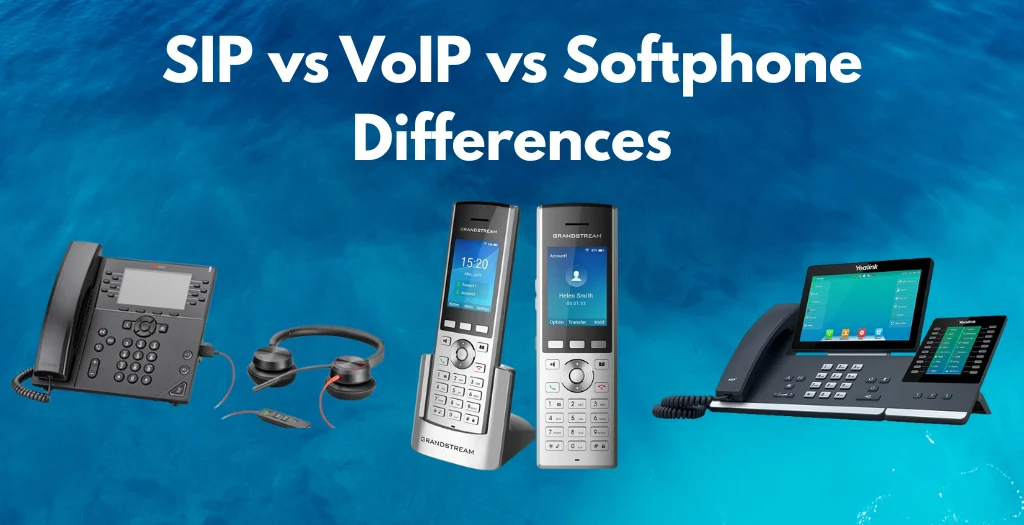
Usually, people confuse these terms all the time. Here’s the simple breakdown for you:
Any phone that uses the internet to make calls.
- SIP Phones (Most Common Type):
They use the SIP protocol (Session Initiation Protocol) to manage:
Almost all modern VoIP phones are SIP phones. Check our top-selling Yealink SIP model, which is a one-man army itself for scaling businesses.
Another name for VoIP phones — but sometimes used to refer to hardware desk phones only (not softphones).
Apps like Zoom Phone, Teams Phone, 3CX, etc.
The people mentioned the terms but never clarified them. This VoIP phone buyer’s guide removes all confusion.
3. How VoIP Phones Work
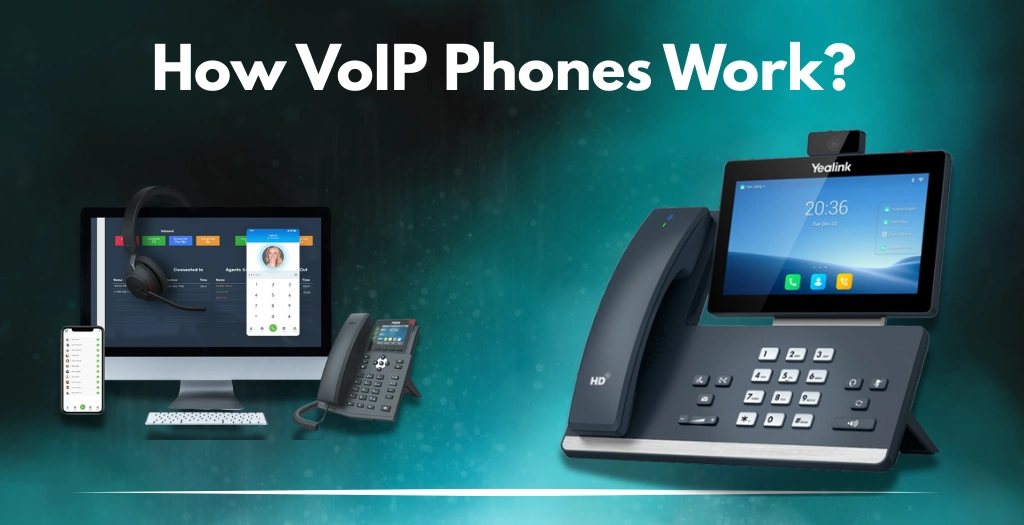
In order to understand all the features, you must know the whole workflow. So here is:
Step-by-Step: What Happens When You Place a VoIP Call
- The phone registers with the PBX/cloud provider using SIP credentials.
- When you dial a number, the phone sends a SIP INVITE packet.
- Your VoIP provider checks routing rules and forwards the call.
- Once answered, audio streams start using RTP (Real-Time Transport Protocol).
- Codecs compress your audio.
- The network handles jitter control, packet timing, etc.
- The phone decodes incoming packets back to voice.
Why This Matters When Buying a Phone
Because the WRONG phone → the WRONG codec support → POOR audio quality
Because the WRONG network → packet loss → dropped calls
Because the WRONG phone type → no compatibility with your PBX
So your VoIP phone is not just hardware — it’s part of a full communication ecosystem.
4. Benefits of VoIP Phones for Business
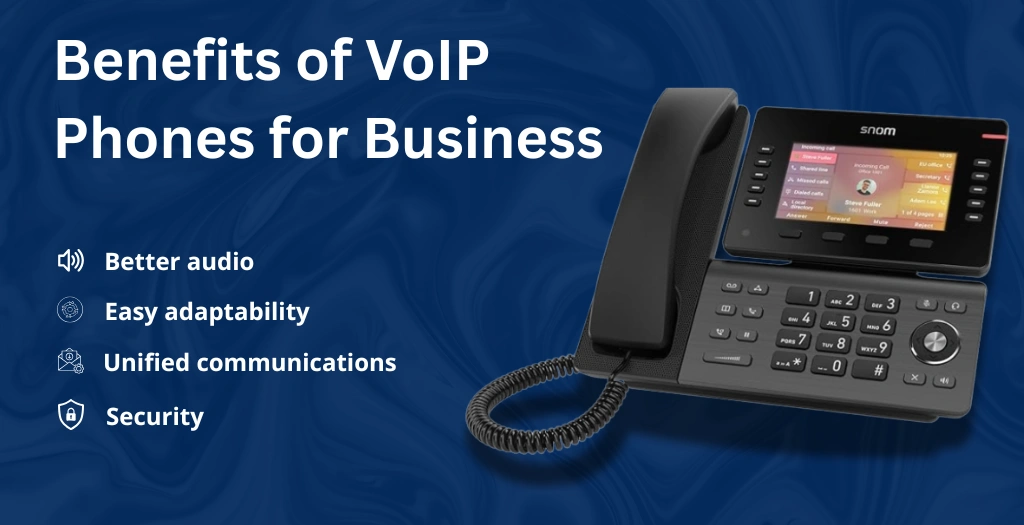
Here is the list of benefits you’ll get if you choose the right VoIP phone:
VoIP eliminates:
- Analog lines.
- PRI circuits.
- On-premise PBX maintenance.
Better audio quality with HD codecs
Opus and G.722 provide crystal clear, human-like sound.
Add new phones in minutes, not weeks.
Works for remote & hybrid teams
Agents can use desk phones or apps anywhere.
Advanced features are unavailable on analog phones
- Call recording.
- IVR.
- Call queues.
- CRM integration.
- Voicemail-to-email.
- Call analytics.
- Team presence indicators.
Better security
SIP phones support:
- SRTP.
- TLS.
- VPN tunnels.
Unified Communications
VoIP integrates with:
- Microsoft Teams.
- Zoom Phone.
- 3CX.
- RingCentral.
- Cisco Webex.
5. Types of VoIP Phones
1. Desk IP Phones
Traditional business phones with:
- Physical buttons.
- LCD or touchscreen.
- HD audio.
- Dual Ethernet ports.
Perfect for:
- reception.
- admin staff.
- executives.
- call agents.
Check our Yealink SIP-T54W model, which is a perfect fit for the features pointed out above.
2. WiFi VoIP Phones
Connect via 2.4GHz or 5GHz WiFi — no cabling needed.
Great for:
- mobile teams.
- flexible office layouts.
- small offices without cabling.
3. DECT Cordless VoIP Phones
Long-range wireless handsets for mobility.
Used in:
- warehouses.
- retail.
- hospitals.
- manufacturing floors.
4. Video IP Phones
VoIP + HD camera + large display.
Best for managers who need face-to-face communication.
5. Conference VoIP Phones
360° microphones + speaker units for meeting rooms.
6. Softphones
VoIP apps for computers or mobile devices.
7. ATA Adaptors (for old analog phones)
Allows old landline phones to work with VoIP.
This classification helps you understand better and match the right phone to the right business scenario.
6. Essential Features to Look for in a VoIP Phone
Others listed a few features. We list EVERY important one — with explanations, so you get a better understanding of everything.
A. Audio Technology
- Noise Shield / AI Noise Cancellation.
- Acoustic Echo Cancellation.
B. Connectivity
- Gigabit Ethernet.
- PoE support.
- Dual-band WiFi.
- Bluetooth.
- USB ports (for headsets or recording).
- EHS compatibility for wireless headsets.
C. Display
- Color LCD.
- Touchscreen UI.
- Multiple pages/hotkeys.
D. Lines & Buttons
- 4–20 line support.
- BLF keys.
- Speed-dial.
- Custom programmable keys.
E. Security
- SRTP encryption.
- TLS signaling.
- Built-in VPN.
- Firewall traversal.
F. Expandability
- Expansion modules.
- Sidecar displays.
- USB dongles.
- WiFi adapters.
G. Provisioning & Management
- Auto-provisioning.
- Zero-touch deployment.
- Bulk configuration.
- Remote firmware updates.
Browse our Essential Add-Ons for Any VoIP System.
7. VoIP Phone Compatibility (PBX, SIP, Cloud Providers)
Compatibility determines whether the phone will function properly.
Common PBX & platforms:
- 3CX.
- FreePBX.
- Asterisk.
- RingCentral.
- Zoom Phone.
- Microsoft Teams (requires certified devices).
- Vonage.
- Ooma Office.
Key Questions you need to ask yourself:
- Does the phone support your provider’s provisioning?
- Does it support the required codecs?
- Does it support SRTP/TLS?
8. Role-Based VoIP Phone Recommendations
Different roles need different features. Below are some references:
For Reception:
- 16–32 BLF keys.
- HD audio.
- Dual screens.
- Expansion module support.
For Executives:
- Touchscreen.
- Bluetooth.
- WiFi.
- Video calling.
For Call Center Agents:
- Some require wired.
- Some need EHS wireless headsets.
- Need HD voice + noise cancellation.
- Multi-line handling.
For Hybrid Workers:
- WiFi phones.
- USB headsets.
- Softphone + desk phone combo.
For Warehouse Staff:
- Rugged DECT phones.
- Long battery life.
9. Network Requirements
Your VoIP system is only as good as your network.
Minimum Requirements:
- 100 kbps per call (both ways).
- Latency < 100ms.
- Packet loss < 1%.
- Jitter < 20ms.
Recommended
- VLAN for voice.
- PoE switches.
- QoS configuration.
- SIP ALG disabled (most of the time).
Firewall
Allow SIP and RTP ports used by your provider.
Cabling
If using Ethernet:
- Cat5e or Cat6 recommended.
10. Price Guide: VoIP Phones by Tier
Entry-Level ($40–$80)
- Basic screens.
- Single-line.
- No WiFi, no Bluetooth.
Mid-Range ($100–$150)
- Multi-line support.
- HD voice.
- Gigabit ports.
- PoE.
High-End ($180–$350)
- Touchscreen.
- Bluetooth.
- WiFi.
- Expansion support.
Executive & Video Phones ($350–$700)
- Built-in camera.
- Large display.
- Teams/Zoom certified.
11. Common VoIP Phone Mistakes People Make
❌ 1. Choosing a phone that is incompatible with your PBX.
❌ 2. Buying phones without Gigabit ports.
❌ 3. Ignoring PoE.
❌ 4. Not considering codec support.
❌ 5. Buying a phone with too few lines.
❌ 6. Not configuring QoS.
❌ 7. Using cheap routers.
❌ 8. Not planning for expansion.
12. VoIP Phone Buying Framework (Your Ultimate Checklist)
✔ Step 1: Identify the environment.
✔ Step 2: Define user roles.
✔ Step 3: Determine connection method.
✔ Step 4: Choose line capacity.
✔ Step 5: Compare audio features.
✔ Step 6: Check PBX compatibility.
✔ Step 7: Plan for at least 3-year adaptability.
✔ Step 8: Estimate total cost of ownership.
13. Future of VoIP Phones
- AI-based noise filtering.
- AI-driven call insights.
- Flawless multi-device handoff.
- Multi-camera video-IP phones.
- Cloud-native provisioning.
- 5G-enabled VoIP handsets.
- More Teams/Zoom-certified devices.
14. Why Buy VoIP Phones from Spogmey
✅100% genuine brands.
✅Business pricing + bulk discounts.
✅Support for SIP, cloud PBX, and hybrid setups.
✅Expert compatibility guidance.
✅Fast shipping across the USA.
✅ Warranty on every product.
Types of VoIP Phones (Desk, Wireless, Video & Softphones)
This section will properly explain every single thing that you need to know about the types of VoIP phones, with use cases, it’s pros and cons, and which one can suit which business type best.
1. Desk VoIP Phones (Most Common Option)
Well, apparently, desk VoIP phones look like traditional office phones but are powered by the internet. But they offer the most stable performance, the best call quality, and the most features.
Best For:
- Receptionists.
- Call centers.
- Small and mid-sized offices.
- Corporate departments.
- Admin, HR & finance teams.
Key Benefits:
- Dedicated hardware = stable calling.
- Programmable keys for speed-dialing.
- HD voice quality.
- PoE support (no power adapter needed).
- Secure SIP registration.
2. Wireless DECT VoIP Phones
Wireless VoIP phones operate over a DECT base station and offer mobility within a building or warehouse.
Best For:
- Warehouses.
- Retail stores.
- Manufacturing floors.
- Healthcare.
- Restaurants.
Benefits:
- Up to 165 ft indoor range.
- Up to 900 ft outdoor range.
- Long battery life.
- Can roam without call drops.
3. Wi-Fi VoIP Phones
Wi-Fi VoIP phones connect directly to your wireless network—no base station needed.
Best For:
- Hospitals.
- Schools.
- Hotels.
- IT support.
- Multi-story buildings.
Benefits:
- Works anywhere Wi-Fi is available.
- Flexible deployment.
- Easy scaling.
When NOT to Choose Wi-Fi Phones:
- Congested networks.
- Weak access points.
- Environments with network interference.
4. Video VoIP Phones
These are the type of VoIP desk phones that have a built-in touchscreen, webcams, and video-calling apps like Teams or Zoom.
Best For:
- Executives.
- Remote collaboration teams.
- Customer success managers.
- Hybrid offices.
- High-level meetings.
Benefits:
- Face-to-face communication.
- Integrated calendars.
- Touchscreen navigation.
- Better conference productivity.
Check out our top-performing VoIP Phone Systems, which are ready to outperform every competitor your business has.
5. Softphones (Desktop & Mobile Apps)
Softphones are VoIP applications that run on laptops, desktops, or mobile phones.
Best For:
- Remote workers
- Hybrid teams
- Field agents
- Freelancers
- Customer support teams
Benefits:
- No hardware cost.
- Full mobility.
- Quick deployment.
- Ideal for BYOD environments.
Limitations:
- Depends heavily on device quality.
- Battery drain.
- Call quality varies on Wi-Fi.
- Security depends on user hygiene.
Key VoIP Phone Features to Look For
Competitors usually list “HD audio, PoE, Bluetooth” and call it a day.
But a true expert buyer’s guide must clarify:
- What each feature means.
- Why it matters.
- Who needs it?
- Who doesn’t?
Let’s break it down in detail.
1. HD Voice (Wideband Audio)
HD Voice uses wideband codecs like G.722 to deliver clearer, fuller sound.
Why It Matters:
- Improves customer experience.
- Reduces misunderstandings.
- Clearer conversations in noisy offices.
Who Needs It:
Every modern business — period.
2. PoE (Power Over Ethernet)
PoE allows phones to power through the Ethernet cable — no wall adapter needed.
Why It Matters:
- Cleaner desk setup.
- Centralized power management.
- Works with backup UPS systems.
- Ideal for large deployments.
Who Needs It:
- Offices with many phones.
- Call centers.
- Businesses need stable uptime.
Other blogs rarely highlight the UPS advantage — but our guide will.
3. SIP Compatibility
This is the most critical feature yet the most misunderstood.
SIP = The language VoIP devices use to communicate.
Why It Matters:
If a phone isn’t SIP-compatible, it won’t work with most VoIP providers.
Who Needs It:
- EVERY business is using VoIP.
- IT managers are deploying multi-brand setups.
Others never clearly explained SIP. We did — and will expand even further in the rest of the VoIP phones buyer’s guide, just for you.
4. Call Handling Features
Look for phones that include:
- Hold.
- Mute.
- Transfer.
- Call waiting.
- Call park.
- Call pick-up.
- Intercom.
- Shared line appearance.
Why These Matter:
Because businesses need workflow efficiency, not just “phone calls.”
5. Connectivity Options
- Ethernet.
- Wi-Fi.
- DECT.
- Bluetooth.
- USB headsets.
- RJ9 wired headsets.
Buyer Guidance:
- Receptionists → wired/stable.
- Executives → Bluetooth + Wi-Fi.
- Warehouse teams → DECT.
- Sales teams → Mobile/softphones.
6. Display & User Interface
Look for:
- Color screen.
- Backlit display.
- Easy navigation.
- Touchscreen (optional).
- Icon-based menus.
Why It Matters:
Faster, smoother communication for busy teams.
7. Expansion Modules (for Receptionists)
Some desk phones support add-on key modules.
Why It Matters:
Receptionists can manage:
- Multiple extensions.
- Multiple departments.
- High call volumes.
Your competitor didn’t discuss role-based recommendations — we will own this area.
8. Security Features
A proper guide MUST include VoIP security — competitors mostly ignore it.
Look for:
- SRTP encryption.
- TLS.
- Secure provisioning.
- Firewall compatibility.
- Automatic firmware updates.
Why It Matters:
VoIP security is business security.
VoIP Phone Compatibility Guide
One of the biggest reasons businesses fail when buying VoIP phones is compatibility.
What Does “VoIP Compatibility” Mean?
VoIP phone compatibility simply means:
👉 Will this phone work with my VoIP provider, PBX system, and office network?
To determine that, buyers need clarity on:
- SIP compatibility.
- Provider compatibility.
- PBX (cloud vs on-premise) compatibility.
- Codec support.
- Power & network compatibility.
Most blogs skip this because it requires technical knowledge — but we’ll explain it simply.
1. SIP Compatibility (The Foundation)
A VoIP phone MUST support SIP (Session Initiation Protocol).
This is the signaling language VoIP phones use to:
- Make calls.
- Receive calls.
- Register with a VoIP provider.
- Transfer calls.
- Manage call features.
✅ If it supports SIP → It works with almost every VoIP provider.
❌ If it does NOT → It may be locked to a single service.
Example:
Most Yealink, Grandstream, Fanvil → SIP-compatible.
Some Poly or Cisco enterprise models → service-locked unless unlocked.
2. Compatibility With VoIP Providers
Here’s a table of common providers and compatibility notes:
VoIP Provider | Compatibility Notes | Recommended Phone Type |
💙 Spogmey (VoIP Hardware + Business Phone Solutions) | Offers fully SIP-compatible VoIP phones, DECT mobility solutions, accessories & enterprise deployment support. Ideal for offices, call centers, hybrid teams, and SMBs needing reliable VoIP hardware in the USA. | Desk phones, DECT wireless phones, Wi-Fi phones, video phones |
RingCentral | Works best with SIP phones + certified models | Desk phones, video phones |
8×8 | Fully SIP-compatible | Desk, DECT, Wi-Fi |
Zoom Phone | Requires certified devices for video & meetings | Video phones |
Vonage | Open SIP allowed | Desk phones |
Nextiva | Works with most SIP phones | Desk + softphones |
Ooma | Supports open SIP devices | Basic desk phones |
On-Prem PBX Systems (3CX, FreePBX, Asterisk) | Requires SIP phones with advanced provisioning support | High-end SIP phones |
3. Compatibility With PBX Systems (Cloud vs On-Prem)
Cloud PBX Systems (Hosted VoIP)
Examples: RingCentral, 8×8, Nextiva, Zoom Phone
✔ Best for small & mid-sized businesses.
✔ No servers needed.
✔ Quick deployment.
✔ Easy scaling.
Phones needed:
- SIP desk phones.
- Softphones.
- Wi-Fi phones for flexible offices.
On-Premise PBX Systems
Examples: FreePBX, 3CX, Asterisk, Avaya IP Office
✔ Best for businesses needing deep control.
✔ Internal call routing.
✔ Custom IVR, SIP trunking.
Phones needed:
- Advanced SIP phones.
- Phones with XML provisioning.
- Phones with better security controls.
4. Codec Compatibility
Common codecs VoIP phones should support:
- G.711 (standard quality).
- G.722 (HD Voice).
- G.729 (compressed audio for low bandwidth).
Why This Matters:
If the phone doesn’t support the codec your provider uses → call quality suffers.
Codec Compatibility — Spogmey Notes
This is a MUST-HAVE section for you; this includes Spogmey’s codec support, too.
Common Codecs VoIP Phones Should Support:
Codec | Quality Level | Best Use Case | Supported By Spogmey? |
G.711 | Standard quality | Most office calling | ✅ Yes |
G.722 | HD Voice (crystal clear) | Call centers, support teams | ✅ Yes |
G.729 | Low-bandwidth compressed audio | Remote teams, weak WiFi | ✅ Yes |
OPUS (premium) | Adaptive HD | Noisy environments | ✅ Yes (Spogmey Pro) |
Network Requirements for VoIP Phones
If the network fails, VoIP fails. What you should do is:
1. Minimum Internet Requirements
VoIP Activity | Minimum Speed Required |
One VoIP call | 100 kbps (upload & download) |
Small office (5–10 users) | 5–10 Mbps |
Medium office (20–30 users) | 20–50 Mbps |
Large office (50–100+ users) | 100+ Mbps |
2. Latency Requirements
To avoid lag or echo:
- Below 150 ms = ideal.
- Above 300 ms = call delays occur.
3. Jitter & Packet Loss
- Jitter must be below 30 ms.
- Packet loss must be below 1%.
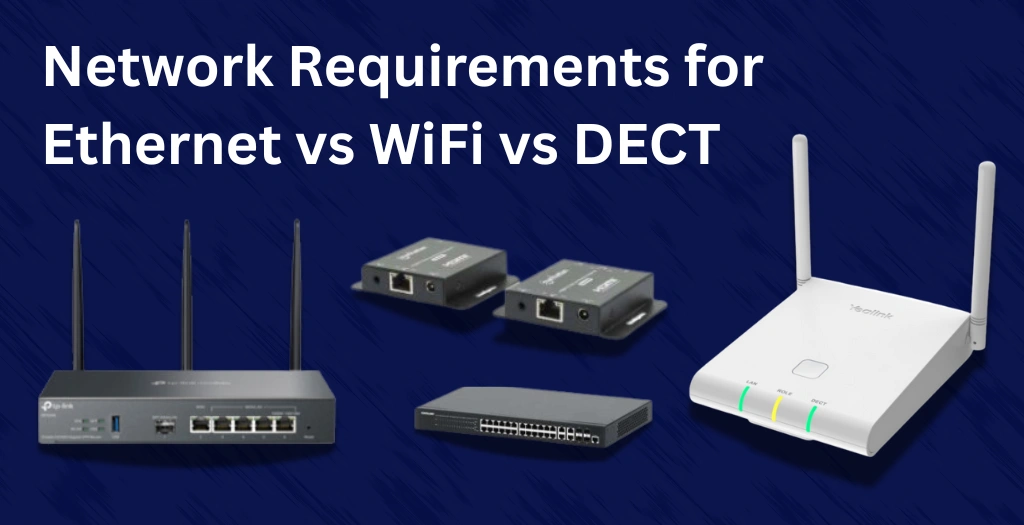
4. Wired vs Wi-Fi vs DECT — Network Guidance
Connection Type | Best For | Why |
Ethernet (Wired) | Offices & call centers | Most stable, zero interference |
Wi-Fi | Flexible hybrid teams | Mobility without cables |
DECT | Warehouses, retail, large floors | Long-range mobility |
5. Router & Switch Requirements
- Business-class router.
- QoS support (to prioritize voice packets).
- VLANs for separating voice & data.
- PoE switches for powering phones.
VoIP Phone Cost & Pricing Breakdown
Businesses want clear numbers — and we deliver exactly that.
1. VoIP Phone Price Ranges
Type of VoIP Phone | Price Range | Ideal For |
Basic VoIP Desk Phone | $40–$80 | Small teams, reception |
Mid-Range Desktop Phone | $80–$150 | Office staff, managers |
High-End VoIP Phone | $150–$300+ | Executives, busy departments |
DECT Wireless Phone | $100–$200 | Warehouses, retail |
Wi-Fi VoIP Phone | $120–$250 | Large buildings |
Video VoIP Phone | $200–$600+ | Executives, hybrid offices |
2. Additional Costs
- SIP trunk subscription.
- VoIP provider plan.
- PoE switch (optional).
- Headsets.
- Expansion modules.
- Installation (if needed).
Book a Free Consultation With Our Team. From Unboxing to Deployment — We’ve Got You Covered.
3. Cost Breakdown Table
Item | Estimated Cost |
VoIP Phone Unit | $50–$500 |
Cloud PBX Plan | $15–$35/month/user |
SIP Trunking | $5–$20/month |
Installation | $50–$100/device |
Headsets | $30–$200 |
Expansion Modules | $50–$150 |
VoIP Phone Recommendations by Business Size
1. Small Businesses (1–20 Employees)
Needs:
- Affordable.
- Easy to install.
- Cloud-based.
- Low maintenance.
Recommended Setup:
- 3–5 desk VoIP phones.
- 1 wireless phone for mobility.
- Softphones for remote staff.
2. Mid-Sized Businesses (20–100 Employees)
Needs:
- Centralized management.
- PoE switches.
- Auto-provisioned phones.
Recommended Setup:
- Desk phones for departments.
- DECT/Wi-Fi phones for roaming staff.
- Video phones for managers.
3. Large Enterprises (100–500+ Employees)
Needs:
- High security.
- VLAN.
- Multi-site deployment.
- Redundancy.
Recommended Setup:
- Enterprise-grade SIP phones.
- Softphones for remote teams.
- Video phones for executives.
- DECT for facility teams.
Beginner Mistakes to Avoid
This part of the VoIP phone buyer’s guide is also very important because most first-time VoIP buyers repeat the same mistakes over and over again. We will explain it to you so that you don’t make the same mistake.
1. Buying Phones Before Choosing a VoIP Provider
Many buyers browse Amazon, see a “nice-looking IP phone” and buy it…. only to learn later that their VoIP provider doesn’t support their setup or system.
Why this is a mistake:
Different providers have different device certifications. Some allow any SIP phone; others only allow approved models.
What to do instead:
Choose your VoIP provider first → then select the compatible phones, for which you need to check your system first.
Spogmey always recommends phones after checking provider requirements to avoid device rejection or provisioning issues.
2. Ignoring Network Requirements
VoIP needs a stable internet. When the network is weak, voice quality is disrupted immediately.
Effects of poor network setup:
- Choppy audio.
- Delay/latency.
- Dropped calls.
- Echoing.
What to do instead:
Before buying phones, check:
- Internet speed.
- Router capability.
- QoS (Quality of Service) support.
- Whether PoE switches are available.
Spogmey helps customers evaluate network readiness before recommending phones.
3. Using Home Routers for Business Phone Systems
Home routers are not built for business-level VoIP traffic.
Why this is a mistake:
Without QoS, your router can’t prioritize voice packets → meaning your call quality will suffer every time someone downloads large files.
Fix:
Use a business-grade router that supports:
- QoS.
- VLAN tagging.
- Traffic shaping.
4. Buying Non-SIP or Locked Phones
Some phones are “locked” to specific providers, especially older models.
Why this is a problem:
Locked phones prevent:
- Changing providers.
- Custom provisioning.
- Using advanced features like cloud PBX integrations.
Solution:
Always remember to buy SIP phones from a verified seller, just like Spogmey. It is trusted by thousands all across the USA for its authentic products, great deals, fast delivery, supportive team, and above all warranty of products.
5. Skipping Security Setup
VoIP runs on the internet — not setting up security makes it vulnerable.
Risks include:
- Call interception.
- Toll fraud.
- Unauthorized remote access.
Security to enable:
- SRTP Encryption.
- TLS Signaling Security.
- Strong passwords.
- Firewall rules.
Spogmey pre-hardens many devices before shipping when requested.
Set Up & Whole Arrangement
Below, we are sharing the whole arrangement to set everything up, so that you can set the whole thing up yourself without any issue.
1. Step-by-Step VoIP Phone Hardware Setup
a. Unbox & Prepare the Phone:
Remove handset, stand, Ethernet cable, and optional PSU.
b. Connect to Ethernet / PoE:
If your office uses PoE switches, you don’t need a power adapter. One cable handles:
- Internet.
- Power.
- Provisioning.
c. Access Phone Web Interface:
Every VoIP phone has an IP address.
Open the IP in any browser → log in with admin credentials.
d. Enter SIP Account Information:
You’ll usually need:
- SIP server address.
- Outbound proxy.
- Username.
- Password.
e. Apply Settings & Test
Make a test call to confirm:
- Audio quality.
- Registration status.
- Outbound dialing.
f. Update Firmware
This fixes bugs, improves security, and adds new features.
Spogmey provides firmware update guides for brands like Yealink, OWL Labs, and Grandstream.
2. Cloud PBX Deployment:
Step-by-step:
- Create extensions inside the provider dashboard.
- Assign each extension to a phone or a user.
- Configure ring groups (Sales, Support, Front Desk).
- Set up call forwarding rules and voicemail.
- Connect the phone via QR provisioning or URL auto-provisioning.
- Run 3–5 call tests.
Why this matters:
Cloud PBX is the easiest way for small businesses to start with VoIP — no servers needed.
3. On-Prem PBX Deployment:
For IT teams that need control and customization.
Deployment Steps:
- Install PBX on a server (hardware or VM).
- Arrange SIP trunks from your provider.
- Assign internal extensions.
- Configure inbound/outbound routes.
- Set codecs (G.711 vs G.722 vs G.729).
- Apply firewall rules + fail2ban.
- Auto-provision phones on the local network.
Spogmey provides free provisioning templates for Yealink, Grandstream, and Owl Labs.
Advanced Features for IT Teams:
1. Auto-Provisioning
Allows IT teams to deploy 100+ phones in minutes.
How it works:
- Phone boots → contacts provisioning server.
- Downloads settings automatically.
- No manual login required.
Spogmey supports:
- Yealink RPS.
- Grandstream GDMS.
These are a perfect fit for multi-location businesses.
2. VLAN Tagging (Voice VLAN):
Voice VLAN separates phone traffic from regular PC traffic.
Benefits:
- Better call stability.
- Higher security.
- Prevents crowding.
IT teams can assign:
- VLAN 10 → Voice.
- VLAN 20 → Data.
3. SRTP + TLS Encryption
This is critical for compliance-driven industries.
TLS: Encrypts SIP signaling
Together they prevent:
- Call tapping.
- Packet sniffing.
- Unauthorized interception.
Spogmey ships devices with encryption enabled upon request.
4. Remote Device Management
Allows IT teams to manage devices from a browser.
You can remotely:
- Reset phones.
- Push firmware.
- Change account settings.
- Monitor network quality.
It reduces on-site maintenance significantly.
5. API & Integration Support
Modern VoIP systems integrate with:
- CRMs (Salesforce, HubSpot).
- Ticketing systems.
- Team collaboration tools.
Examples:
- Click-to-Call.
- Call pop-ups.
- Call logging.
These integrations improve workflow efficiency.
Future Trends in VoIP (2025–2030)
1. AI-Powered Routing
AI decides who handles calls for faster support.
2. 100% Cloud Communication
Most companies will drop on-prem hardware.
3. Full UCaaS Integration
Phones + video + chat → one platform.
4. 5G VoIP Mobility
Remote staff get stronger, clearer calls.
5. Rise of Softphones
Softphones continue to grow — but desk phones stay important for offices.
Conclusion
Choosing the right VoIP phones can transform your communication quality, customer experience, and team productivity.
Going for a suitable VOIP phone is not just about features; it’s more about outperforming your business with clearer conversations, dependable connectivity, and the flexibility to grow with your business. Whether you need a wireless headset for a busy call center or SIP-compatibility desk phones for the office, or long-range VoIP solutions for the hybrid teams, the key is understanding what matters most, which is performance, compatibility, and support.
Now that you know what to look for, you are ready to go and make a confident decision. Compare models, review specs, and above all, match the right features that are needed in your workflow. And if you ever need any sort of help with installation, configuration, or choosing the best devices for your system, our team is here to guide you every step of the way.