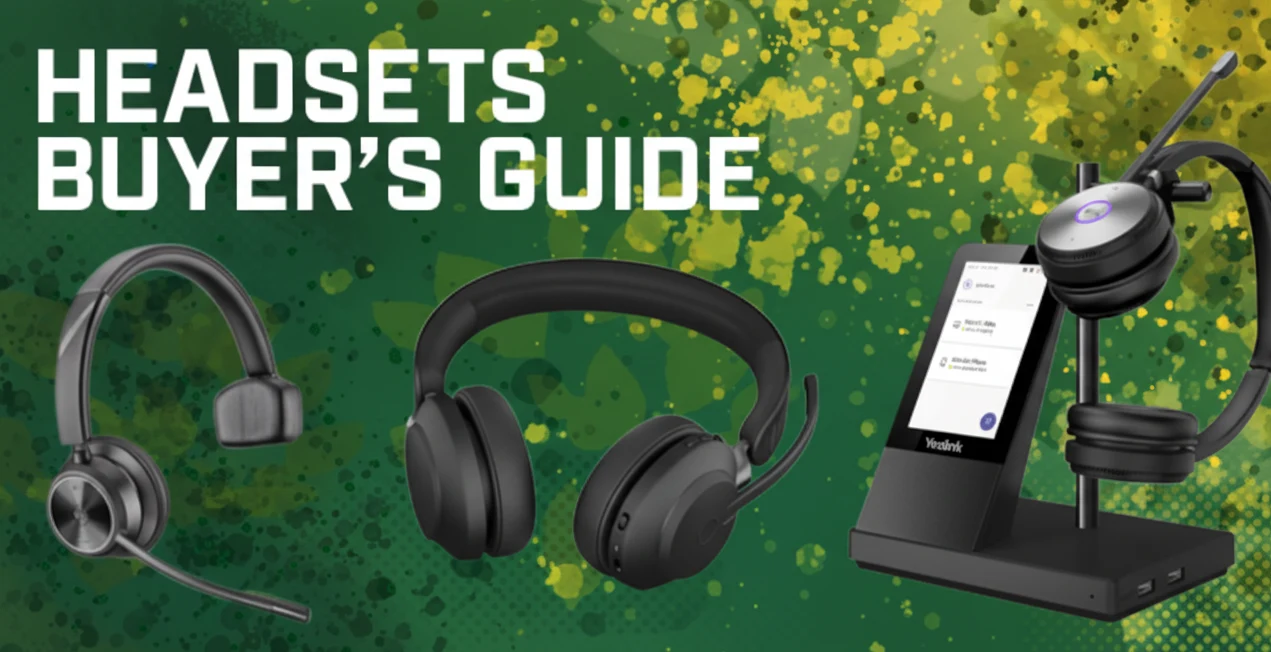
Headsets offer hands-free communication with professional-quality audio, making them a must-have for any modern workspace. They connect easily to desktop phones, smartphones, computers, and more. Noise-canceling headsets block out distractions, delivering crystal-clear sound that outperforms standard phone or computer audio. Many office headsets also come equipped with productivity-enhancing features, such as integrated call controls and on-call indicators.
Shopping for headsets doesn’t have to be confusing. With numerous options, so from platform compatibility and device connectivity to wearing styles. It’s essential to make the right choice.
Our comprehensive Headsets Buyer’s Guide walks you through everything you need to know so you can confidently pick the perfect headset for your business.
WHAT’S THE DIFFERENCE B/T OFFICE HEADSETS AND GAMING HEADSETS?
Office and gaming headsets are basically the same thing: headphones with a microphone.
However, besides looking different, they highlight features specific to their intended use.
‘Gaming headsets highlight low latency, which means that there’s less of a gap between
‘what you hear and what you see on your display. Low latency lets you react quicker and more:
‘accurately. Those split seconds are vitally important when gaming, but they’re nothing to
worry about when using a headset for business applications.
Many gaming headsets now support spatial, positional, or 3D audio (different terms for the
‘same feature) which means you can hear sounds above you, behind you, in front of you, and so on. This feature helps when you need to dodge the zombie that’s about to bite you from behind, but you don’t need to worry about zombies when video conferencing (we hope), so
It’s not a feature that has any real value for business meetings. All this said, many people use an office headset for gaming and vice versa, and they’re very happy doing so.
The First Question: Compatibility
Before choosing any office headset, the most important question to ask is:
Is this headset compatible with my devices and communication platforms?
Device Compatibility
Start by confirming that your headset connects smoothly with the devices you use every day, whether that’s a VoIP phone, smartphone, tablet, or laptop. Check if you’ll need a USB dongle for Bluetooth connectivity or if your DECT headset base station can pair with multiple devices. You may also need to confirm which QD cable fits your specific headset model.
If you’re a hybrid or remote professional who frequently uses a smartphone for calls, don’t miss our guide: “Best Office Headsets for Hybrid Workers to Use with Smartphones.”
Service Compatibility
Next, confirm that your headset works perfectly with your business communication services, such as VoIP phone systems, cloud calling platforms, softphones, or unified communications solutions. Some services, like Microsoft Teams, offer official certification to guarantee smooth performance. (We cover Microsoft Teams Certified headsets in detail later in this guide.)
Headsets with USB or Bluetooth connectivity generally support most services since these are universal standards. However, while most functions will work, advanced features may vary, so it’s always a good idea to review feature compatibility before making a purchase.
Leading brands, such as,
- GRANDSTREAM
- OWL LABS
- PATTON
- SNOM
- TP-LINK
- UBIQUITI NETWORKS
- YEALINK
regularly publish updated compatibility guides to help users make informed choices.
💡 Pro Tip: Before you order, explore our headset accessories at Spogmey to find the perfect match for your setup, ensuring your devices, platforms, and accessories all work in sync from day one.
What’s the Difference Between Stereo Headsets and Mono Headsets?
Headsets usually come in two main types: stereo (binaural, two-ear) and mono (monaural, one-ear). The choice between them often depends on the type of work environment you are in and personal choice, but each type offers its own unique advantages.
Advantages of Stereo Headsets
Stereo headsets feature two earphones that sit over, on, or in both ears. Here’s why many professionals prefer them:
- Enhanced Noise Cancellation:
Covering both ears naturally reduces background noise, helping you stay focused. If you want active noise cancellation (ANC), one of today’s most in-demand features, it’s only available in stereo headsets. This makes them perfect for open offices, hybrid work setups, or on-the-go environments.
With better noise isolation, stereo headsets allow you to concentrate fully on calls, meetings, or deep work without distractions; it also have noise cancellation options as well.
Stereo headsets deliver richer, more detailed sound than mono models. Many are optimized for both business calls and media playback. Look for models featuring dynamic equalization (EQ), which automatically adjusts audio balance between voice and music. (You can explore this more in our blog: “What Is Dynamic Equalization for Headsets?”)
💡 Spogmey Tip: Want top-notch sound and focus? Browse our collection of noise-canceling stereo headsets — ideal for offices, remote setups, and call-intensive roles.
Advantages of Mono Headsets
Mono headsets come with a single earphone, resting on or in one ear. Here’s when you might prefer a mono option:
- Stay Aware of Your Surroundings: Having one ear open lets you hear your environment — great for collaborative offices or roles that require multitasking.
- Hear Yourself Naturally: Many professionals find it easier to control their speaking volume with one ear free, preventing the “too loud” headset voice issue.
- Budget-Friendly: Mono headsets are generally more affordable than their stereo counterparts. If you’re equipping an entire team or call center, choosing mono models can offer significant savings.
💡 Spogmey Tip: For active, open-office environments, check out our mono office headsets — affordable, durable, and comfortable for all-day use.
What Types of Wireless Headsets Are There?
Wireless headsets, also called cordless headsets, deliver professional-grade audio without the hassle of cables, so you can move freely around your workspace and do multiple tasks. There are two main types of wireless office headsets:
- Bluetooth Headsets
- DECT Headsets
Regardless of which you choose, there are two key factors to consider:
- Wireless Range: This refers to the distance at which you can move from your connected device while maintaining a stable signal. Keep in mind that manufacturers often list the maximum range under ideal conditions, so real-world obstacles, such as walls, can shorten it.
- Talk Time: This measures how long your headset battery lasts during calls. Make sure the model you choose supports your busiest workdays. For users on the move, consider a wireless headset with a charging case, which doubles as a convenient storage and power solution.
💡 Spogmey Tip: Stay connected wherever you work. Explore our Bluetooth and DECT wireless headsets to find the perfect balance of mobility, comfort, and crystal-clear audio.
Bluetooth Headsets
Bluetooth headsets use the widely supported Bluetooth wireless protocol to connect effortlessly with your devices.
Why Choose a Bluetooth Headset?
The biggest advantages are compatibility and versatility. Because Bluetooth is nearly universal, these headsets connect easily with a wide range of devices, including VoIP phones, smartphones, tablets, and laptops. Some models even support multi-device pairing, allowing you to stay connected to multiple devices at once.
This flexibility makes Bluetooth headsets a top choice for hybrid workers who move between the office, home, and remote setups.
To use a Bluetooth headset with a VoIP phone, ensure your phone supports Bluetooth, either natively or through a Bluetooth USB adapter. Keep in mind, having a USB port doesn’t always mean the phone supports Bluetooth dongles, so always check your user manual first.
For computers, you’ll also need a Bluetooth adapter if one isn’t built-in. Many Bluetooth headsets come packaged with their own USB-A or USB-C dongle, ensuring plug-and-play comfort with whichever port type your device has.
💡 Spogmey Tip: Always confirm the port type before ordering. Our range of headsets includes models with both USB-A and USB-C options, perfect for all work environments.
DECT Headsets
DECT headsets use the DECT wireless protocol, a professional-grade standard designed for secure, long-range communication, ideal for office use.
Why Choose a DECT Headset?
Offices are full of Wi-Fi and Bluetooth devices that crowd the wireless spectrum. DECT operates on a separate frequency band, ensuring a cleaner, more stable connection for everyone.
DECT headsets offer far greater range than Bluetooth, up to 600 feet line of sight in some models (that’s roughly two football fields!). Even in office spaces with walls and cubicles, DECT delivers the most reliable range available today.
DECT technology supports advanced encryption for secure communications. Premium models like the Poly Savi 7300 Office Series even provide military-grade security to protect sensitive business conversations.
💡 Spogmey Tip: Want long-range, secure wireless performance? Explore our DECT headset collection for crystal-clear communication without interference.
Wired Headsets
Wired headsets (or corded headsets) connect directly to your device via cable. They’re typically more affordable and often more reliable than wireless options, especially for users who want a simple plug-and-play experience.
There are three main types of wired headsets:
- USB Headsets
- RJ9 Headsets
- 3.5mm Headsets
USB Headsets
USB headsets offer plug-and-play connectivity for computers and VoIP phones, using either USB-A or USB-C plugs. They’re easy to set up, support integrated call controls, and work with virtually all communication platforms.
Many VoIP phones now feature a dedicated USB port for headsets, but be sure to check compatibility not every USB port supports audio peripherals.
- USB-A: The standard rectangular plug found on most PCs and phones.
- USB-C: The smaller, reversible plug is now common on modern devices and Android smartphones.
Some premium models, like the Poly Blackwire 5220, feature both connectors, a USB-C cable with a USB-A adapter, plus a 3.5mm jack for ultimate versatility.
💡 Spogmey Tip: Unsure which connection fits your setup? Our USB headset range includes dual-port models for maximum compatibility.
RJ9 Headsets
RJ9 headsets (also known as R12, 4P4C, or modular headsets) use the traditional telephone-style connector found on most desktop VoIP phones. Nearly every VoIP phone includes two RJ9 ports, one for the handset and one for the headset.
These models are budget-friendly, reliable, and ideal for desk-based teams.
QD (Quick Disconnect) & EHS (Electronic Hook Switch)
You may encounter terms like QD headsets or EHS adapters when shopping for wired models.
This feature lets you detach your headset mid-call without hanging up, perfect if you need to step away or consult a colleague. QD cables are most common with RJ9 headsets, but versions exist for USB and 3.5mm connections too.
⚙️ Because RJ9 isn’t standardized, QD cables differ by manufacturer; for example, Jabra and Poly (Plantronics) use unique cable types. The benefit? You can reuse your headset across different phones by simply switching cables instead of buying a new headset.
- Electronic Hook Switch (EHS):
EHS adapters enable call control directly from the headset; no need to touch your phone console. Like QD cables, EHS adapters are brand-specific, so always check your manufacturer’s compatibility guide before purchasing.
💡 Spogmey Tip: Save time and effort, shop QD and EHS cables designed for your headset brand directly from Spogmey, where compatibility is always verified.
3.5 mm Headsets
Some noise-canceling headsets offer plug-and-play 3.5 mm connectivity, making them compatible with virtually any smartphone, tablet, or computer that includes a standard 3.5 mm audio jack.
Most modern 3.5 mm headsets also feature dual connectivity, both USB and 3.5 mm options. They often include a USB adapter with in-line call controls, allowing you to connect via USB when working on your PC, or directly through the 3.5 mm jack for mobile use.
The biggest advantage? Simplicity and universal compatibility. Just plug in and go, no drivers, no setup, just professional-grade audio anywhere you work.
You may also find 2.5 mm headsets, which function similarly but with a smaller plug size. These are uncommon today, but still useful for older or specialized devices that support 2.5 mm connections.
What Headset Features Should You Look For?
When shopping for professional headsets, especially noise-canceling headsets, several key features can make a big difference in comfort, productivity, and call clarity:
- Active Noise Cancellation (ANC)
- Passive Noise Cancellation
- Noise-Cancelling Microphone
- Hearing Protection Technology
- On-Call Indicator
- Integrated Call Controls
- High-Fidelity Audio
- Audio Pass-Through
Let’s break down the most important ones.
Active Noise Cancellation (ANC)
Active Noise Canceling Headsets use advanced microphones to detect ambient noise, then generate reverse sound waves to cancel it out, creating a quiet, distraction-free listening experience.
Think of it as “audio camouflage.” Whether you work in an open-plan office, from home with background activity, or on the go, ANC headsets help you stay focused.
Because they isolate both ears, ANC headsets are always stereo, giving you complete immersion and superior audio clarity. Though a premium feature, it’s one of the most in-demand technologies today, worth the investment for professionals seeking peace, privacy, and productivity.
💡 If you’re ready to upgrade, check out our collection of Noise noise-canceling headsets on Spoglink for the best deals and latest models.
Passive Noise Cancellation
Unlike ANC, passive noise cancellation relies on the physical design of the headset to block noise; no electronic filtering is involved.
There are two common forms:
- Ear-cup isolation – The headset cushions naturally block out sound.
- Directional microphones – Designed to capture your voice while minimizing background noise.
Many brands label their products as “noise-canceling headsets” even if they only offer passive isolation, so always double-check the specs before buying to ensure you’re getting true active noise cancellation if that’s what you need.
Noise-Cancelling Microphone
While ANC focuses on what you hear, a noise-canceling microphone improves how you sound to others.
Advanced systems, like Poly Acoustic Fence, use smart audio zoning to block unwanted sounds and focus solely on your voice. This means your clients or teammates hear you but not your background noises.
Hearing Protection Technology
If you spend hours on calls or audios, hearing protection is very important. Many professional headsets now include built-in features to protect users from both long-term exposure and sudden loud noises.
Two main types include:
- Average exposure reduction – Keeps sound below safe decibel levels (around 80–85 dBA) throughout your workday.
- Anti-startle technology – Automatically limits sudden spikes above 115 dB to protect your ears from shock noises.
Different brands use their own terms:
- Jabra: IntelliTone (average) + PeakStop (spike protection) = SafeTone
- Poly: SoundGuard (spike) + SoundGuard DIGITAL (combined)
These features ensure your headset provides all-day comfort and long-term hearing safety.
On-Call Indicator
An on-call indicator, often called a busy light, is a small but powerful productivity feature built into many noise-canceling headsets. It automatically lights up to show your availability status, whether you’re on a call or focused on work, or helping reduce interruptions and improve workflow.
In busy offices or open workspaces, this feature acts as a silent “do not disturb” sign, minimizing distractions and letting coworkers know when you need to stay focused.
💡 Want to learn more? Check out our guide on What Is a Headset Busylight and Why It Matters.
Integrated Call Controls
Modern office headsets often come equipped with integrated call controls, either in-line or built directly into the headset. These controls typically include volume adjustments, answer/end call, mute, and, for Microsoft Teams Certified models, a dedicated Teams button.
This feature ensures smoother communication, letting you manage calls effortlessly without switching windows or reaching for your device. It’s especially useful for professionals handling multiple calls throughout the day.
👉 Before buying, always confirm platform compatibility — not all headsets’ call controls work with every application.
If you’re ready to upgrade your communication setup, explore our range of noise-canceling headsets with Call Controls for top-rated options.
High-Fidelity Audio
Why buy separate headphones for music and work when one headset can deliver both?
High-fidelity (hi-fi) audio headsets provide exceptional clarity across the full sound spectrum from 20 Hz to 20 kHz — making them perfect for both professional calls and immersive media listening.
Some noise-canceling headsets even include “music mode” or “media mode,” which automatically optimizes sound quality whether you’re in a meeting or listening to your playlist. This adaptability turns a standard office tool into a premium, all-day audio experience.
Audio Pass-Through (Transparency Mode)
Don’t want to remove your headset every time someone talks to you?
Audio pass-through, also known as transparency mode, lets you hear what’s happening around you without taking your headset off.
Using built-in microphones, the headset boosts ambient sound in real time — the exact opposite of active noise cancellation. It’s ideal for hybrid workers who move between quiet focus time and quick in-person collaboration.
💡 Want to learn more about how this works? Read our blog on What Is Audio Pass-Through for Headsets?
When Should You Use a Headset?
Headsets are now a must-have for modern professionals, whether it is for office workers or remote teams. The right headset depends on your workspace, daily routine, and communication platform. Below are the most common use cases and which features matter most for each.
Open Office Headsets
In open-plan offices, distractions are constant. Choose a stereo noise-canceling headset with ANC (Active Noise Cancellation) to block background noise and maintain focus. A model with an on-call indicator can further help signal when you’re busy, improving both privacy and productivity.
Video Conferencing Headsets
With the rise of hybrid work, video conferencing headsets are more important than ever. Look for:
- A noise-canceling microphone for clear, distraction-free audio
- Integrated call controls to mute or answer quickly
- Compatibility with major platforms like Zoom, Teams, and Google Meet
💻 For more insights on products, explore our Video Conferencing Category.
Microsoft Teams Headsets
Microsoft Teams Certified Headsets take convenience a step further. They’re recognized instantly by the Teams platform, offering true plug-and-play simplicity. A dedicated Teams button lets you join meetings with one click, while advanced noise cancellation ensures compliance with Microsoft’s “Open Office” acoustic standards, among the highest in the industry.
👉 Want a smoother Teams experience? Check out our Microsoft Teams noise-canceling headsets collection.
VoIP Phone Headsets
If your business relies on VoIP communication, a VoIP phone headset is a must-have for productivity. It keeps your hands free while ensuring clear, professional-quality audio during every conversation.
Many noise-canceling headsets for VoIP now include integrated call controls, letting you answer or end calls with a single tap, no needing to reach for the handset. Whether you prefer wired or wireless, VoIP headsets are designed for perfect integration:
- RJ9 wired headsets plug directly into your phone’s dedicated headset port.
- USB headsets connect through supported USB ports (always check your model’s compatibility).
- Bluetooth headsets work natively or through a USB dongle for added flexibility.
- DECT headsets connect through a base station, giving you long-range mobility across your office.
👉 Shop high-performance VoIP Noise Canceling Headsets at Spogmey — built for clarity, comfort, and control.
Call Center Headsets
When every second counts, call center headsets deliver reliability and comfort for all-day communication. Designed to handle heavy use, these headsets offer noise-canceling microphones, hearing protection technology, and lightweight builds that prevent fatigue.
Most call centers choose wired headsets for consistency and affordability, but newer USB noise-canceling headsets combine simplicity with plug-and-play convenience. Features like on-call indicators and in-line call controls improve workflow efficiency and minimize interruptions, keeping agents focused on what matters: customer satisfaction.
Home Office Headsets
Working remotely? A home office headset helps you stay professional on every call while keeping distractions out of your day. With Active Noise Cancellation (ANC), you can block household noise of kids, pets, or background chatter and stay focused.
USB headsets are a popular choice for home workers because they’re easy to use and compatible with most softphones and unified communication platforms. And since you’re in your comfort zone, why not enjoy high-fidelity sound for music and podcasts between meetings?
Mobile Worker Headsets
For professionals on the move, mobile worker headsets combine flexibility, performance, and convenience. Bluetooth headsets are especially popular, offering wireless communication and easy pairing with smartphones, tablets, and laptops.
Look for ANC-enabled models to reduce background noise in busy environments like airports or cafés, and consider lightweight earhook designs for maximum comfort during travel. If your work takes you outdoors, weather-resistant headsets provide extra durability, keeping your calls crystal clear, rain or shine.
🔊 What Are the Different Headset Wearing Styles?
Headsets come in a variety of designs, each offering a different level of comfort, stability, and audio performance. The headset-wearing style you choose can make all the difference in how productive and comfortable you feel throughout the day. Below are the most popular options to help you find the perfect fit, whether you’re in a busy office, call center, or on the go.
🎧 Headband (Over-the-Head) Headsets
The headband style is the most popular and professional headset design. It offers a secure fit, larger earcups, and a longer microphone boom for clearer conversations. Many of these models also feature built-in call controls and noise cancellation for uninterrupted productivity.
👉 Looking for reliable options? Buy from Yealink Verified Reseller in US and enjoy premium sound gadgets with comfort-built designs.
🎶 Earbuds (In-Ear Headsets)
In-ear headsets or earbuds are ultra-lightweight and compact, perfect for hybrid professionals who are always on the move. While smaller drivers may limit microphone quality compared to larger headsets, they’re unbeatable in portability. If you want cable-free freedom, go for true wireless earbuds, designed for modern mobility.
📞 Earhook (Over-the-Ear) Headsets
Earhook headsets are sleek, lightweight, and ideal for single-ear (monaural) use. They fit comfortably over your ear and are popular among sales professionals and field workers who value mobility and convenience. For a balance of portability and professional-grade clarity, explore Yealink Bluetooth Headsets for business.
💼 Neckband (Behind-the-Head) Headsets
A neckband headset rests comfortably behind your head—great for users who prefer not to disturb their hairstyle or wear glasses. This style provides a secure fit without the weight on top, making it a discreet option for long calls or all-day use.
🔁 Convertible Headsets
If you like flexibility, convertible headsets are the ultimate choice. They allow you to switch between wearing styles—headband, earhook, or neckband—depending on your work environment and comfort.
Want to know more? Check out our guide: What Is a Convertible Headset?
🎯 What Are the Benefits of an Office Headset?
Modern office headsets do far more than deliver great sound—they redefine workplace efficiency. Here’s why they’re indispensable:
- Hands-free Communication – Stay focused while typing, presenting, or multitasking.
- Superior Voice Clarity – High-quality mics make your voice sound more natural and professional.
- Privacy and Focus – Block distractions and keep conversations confidential.
- Wireless Mobility – Move freely around your workspace while staying connected.
- Portable Convenience – Easy to carry, perfect for travel or remote work.
- All-in-One Versatility – Use your headset for calls, music, and media.
Whether you’re after noise-canceling headsets, wireless office models, or convertible solutions, Spoglink helps you find, compare, and buy the best headsets for your business needs.
👉 Explore our latest deals and offers on Professional Headsets today.