What Is a VoIP Phone Expansion Module
Contents
Being able to handle multiple calls efficiently can make or break the definition of productivity. Whether you are a receptionist managing dozens of lines, an executive keeping in touch with all important contacts, or a power user looking for a smoother workflow, traditional VoIP phones can sometimes be limited in features or use. This is where a VoIP phone expansion module comes into play. But what exactly is it, and how can it streamline your daily communications?
A VoIP phone expansion module is a powerful accessory that adds extra programmable buttons, especially known as feature keys, to your existing VoIP phone. These added keys help users to manage multiple lines, speed-dial necessary contacts, monitor extensions, and conduct advanced functions like call park, transfer, or intercom with one simple touch. If you are exploring ways to optimize your office communication, go through Spoglink’s range of VoIP phones and accessories that are built for professionals.
Suppose you are looking for an easy way to handle and simplify call handling, increase productivity, and enhance your VoIP phone features. In that case, you are about to discover why so many professionals depend on this little piece of hardware.
👉 Explore a wide range of VoIP phones and accessories available now at Spogmey, your trusted online store in the USA.
What Is a VoIP Phone Expansion Module?
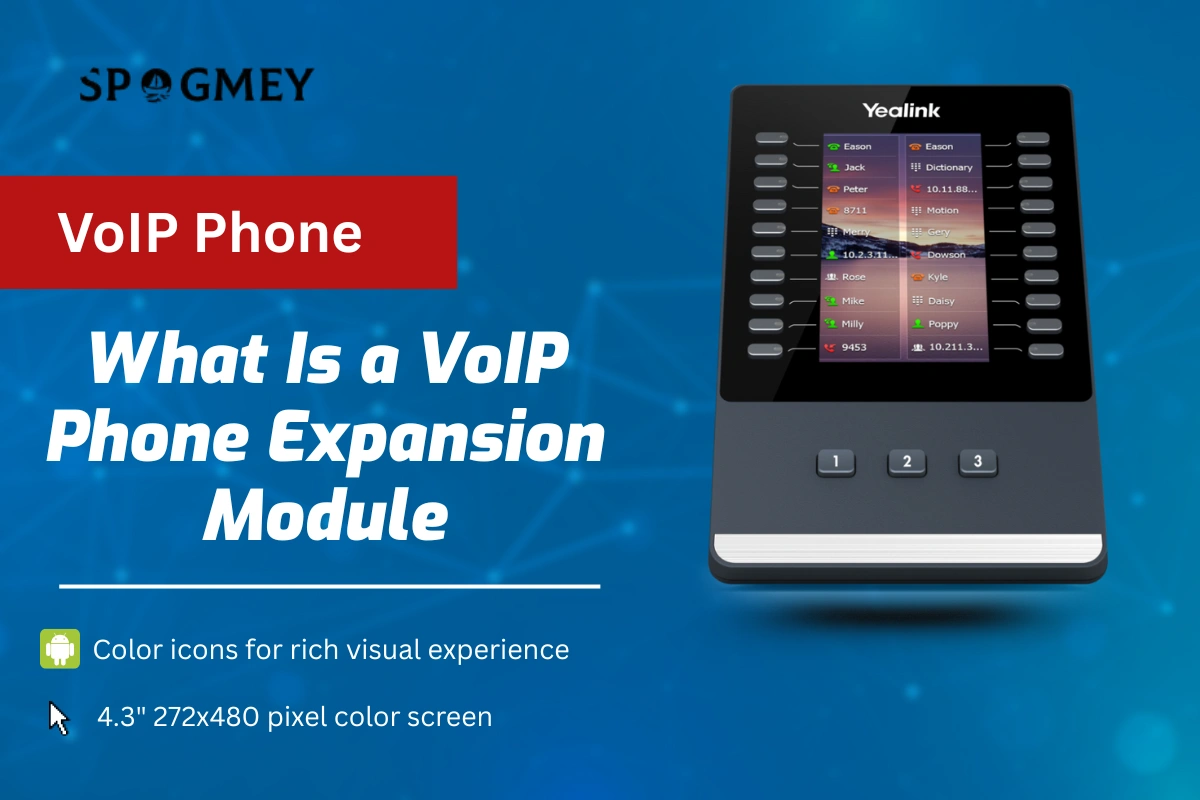
A VoIP phone expansion module is an external attachment that can be connected to your main VoIP phone, basically acting as an “extension board” of programmable keys. These modules come with physical buttons and a beautiful, small display of LED, that allows the user to instantly access more lines, contacts, or extensions without scrolling through menus.
Think of it as a phone sidecar or a sidecar for a phone; this accessory is designed for receptionists, call center agents, and managers who have to handle multiple calls at once.
For instance, Yealink’s EXP50 or Cisco’s key Expansion Module can add 20-60 programmable keys, making your regular VoIP phone into a mini command center.
💡 Pro Tip:
For compatible Yealink and other top models, you can find these add-ons in our Accessories Collection to enhance your setup. They are fully backed by warranty and fast U.S. shipping.
How Does a VoIP Expansion Module Work?
A VoIP expansion module connects our main phone through a USB port or a separate private connector, depending on the brand. Once connected, the phone automatically detects the module, and you can set up the keys through your phone’s settings or VoIP management software.
Each button can be assigned a function, for example:
- Speed dial to colleagues or clients.
- Line appearances (monitoring who’s on call).
- Call transfer and park buttons.
- Busy Lamp Fields (BLF) for instant status visibility.
This basic add-on greatly improves how teams handle multiple calls at once.
In other systems, you might see this accessory often as a brand name with a sidecar. Meanwhile, in Yealink, you will find these models, like EXP20 and EXP50, designed for adaptability.
No extra training, no complicated setup, it is just a simple plug-in, equipment, and getting started with managing calls like a pro.
If your company uses Yealink IP phones or other top brands, you can easily find authorized VoIP expansion modules at Spogmey — we guarantee you full compatibility and manufacturer warranty with proper guidance, if needed.
What Are The Key Benefits of Using an Expansion Module
A VoIP phone expansion module is not just another addition, but a small accessory with serious upgrading power on how you handle communications. Below are the biggest benefits your team will notice right away:
Streamlined Call Handling:
With simple and dedicated buttons for key contacts, transfers become smooth and instant. There’s no need to navigate complex, time-consuming menus; just press and go.
Increased Efficiency:
Receptionists and support agents can easily handle multiple lines at once, reducing wait times and improving overall customer satisfaction.
Enhanced Call Coverage:
Supervisors can oversee who’s on a call (through BLF lights) and step in when needed. It generates a more connected and responsive team environment.
Adaptable Design:
In case you need even more capacity? Many phones help you to chain and link multiple expansion modules easily; some of those setups support up to 6 modules for 240+ keys.
Customizable Functionality:
Every business is different, so there is an option to make every key according to your choice to match your workflow, starting from extensions to feature codes.
Feature | Benefit |
Extra programmable keys | Quicker access to lines and contacts |
LED indicators | Visual call and presence status |
Plug-and-play setup | Easy installation, no IT help needed |
Expandable | Add multiple modules as your team grows |
In other simpler words, it makes your phone smarter and easier to handle, and your workday smoother.
If this sounds like the upgrade that your team needs, then explore our best VoIP phones category at Spogmey, because we have all the top brands that you need to turn your daily grind into ease.
What Are Common Issues and How to Fix Them
Just like every other electronic device, you might face expansion module failure occasionally, but most issues are minor and easy to fix. Let’s look at some common scenarios:
1. Module Not Powering On:
If the screen doesn’t light up, the most likely cause is an insufficient power supply. Some setups require an external power adaptor. Specifically, when daisy-chaining multiple modules.
2. Buttons Not Responding On Clicking:
Check firmware compatibility first. Outdated VoIP phone firmware is basically a core reason for malfunction. Always make sure your phone and expansion module are updated.
3. Display Lag or Glitches:
This often happens mainly because of incorrect connections or outdated settings. Reboot the phone and re-sync the module.
4. Expansion Module Not Recognized:
In case your expansion module is not working, then try connecting it directly (without other peripherals) to rule out port issues. If it still fails, then your module might not be compatible with your phone model.
These simple troubleshooting steps can resolve most of the common problems.
🛡️ To avoid hardware issues or “clone” accessories that fail quickly, always buy expansion modules from authorized retailers like Spogmey — confirming warranty, reliability, and genuine performance.
Why Buy a VoIP Expansion Module?
A VoIP expansion module is more than a simple luxury; it’s a productivity multiplier. Here’s why it’s worth the investment:
1. Improved Team Productivity:
Every saved second per call adds up. Teams that handle high call volumes (like reception, sales, and support) can’t afford delays.
2. Greater Call Control:
With simple one-touch transfers, hold, or pickup, your phone system becomes faster, more reliable, and professional.
3. Enhanced Customer Experience:
No one likes being put on hold, let alone for too long. Quick transfers and faster responses create a better impression.
4. Future-proof Communication Setup:
VoIP systems evolve, and expansion modules grow with them. Instead of replacing your phone, you simply add functionality.
If your business or work depends on efficient communication, then it’s an ideal time to upgrade with a VoIP expansion module from Spogmey. We have a collection of devices that are chosen for their quality, compatibility, and satisfying performance.
Final Thoughts:
These fast-paced businesses and work environments take time as a valuable asset. A VoIP phone expansion module helps you reclaim it by giving you instant access, smarter control, and fewer missed opportunities.
From reception desks to customer support teams, this small but powerful tool brings big improvements in efficiency and satisfaction. In case you are managing a minimum of 3 lines or 50 lines, the right choice of expansion module keeps your communication stress-free.
Discover professional-grade VoIP phone systems and check compatible modules today from Spogmey. We are the best and the most trusted online store in the USA for top-rated VoIP products, unbeatable prices compared to the market, and expert-backed recommendations.
FAQs (Frequently Asked Questions):
Not all VoIP phones support expansion modules. Most brands — like Yealink, Poly, and Grandstream are designed with modules that work only with their specific models. Always check the compatibility list in the product description or user manual before purchasing.
Not at all. Most expansion modules are plug-and-play, meaning they connect through USB or a specialized port and auto-configure when attached. For advanced customization (like labeling or assigning keys), you can use your VoIP phone’s built-in interface or the brand’s configuration software.
That entirely depends on your phone model. Some devices allow only one expansion module, while others can support up to six units in a daisy-chain setup. The total also depends on your phone’s power output and firmware capabilities.
Sometimes, yes. If you’re connecting multiple modules or using phones with limited PoE capacity, an external power adapter is recommended to avoid performance drops or screen flicker. Always check your manufacturer’s power requirements before setup.
A physical expansion module adds real buttons and LED indicators to your desk phone. A virtual expansion module, on the other hand, appears on your phone’s touchscreen (or softphone app) and serves a similar purpose digitally. Many newer VoIP systems offer both options depending on workspace preferences.
Absolutely — even if your team works remotely, an expansion module paired with a desktop VoIP phone or UC platform helps manage lines, transfers, and extensions more efficiently. It’s especially useful for virtual receptionists, managers, and customer support roles handling multiple inbound calls.
Start by identifying your VoIP phone model, checking module compatibility, and estimating how many feature keys your team needs. Then consider your daily call volume, role requirements, and network setup (PoE or power adapter). For expert guidance, explore Spoglink’s range of VoIP phone accessories and contact support for personalized recommendations.
✍️ Author’s Bio
This article is written by Spogmey’s Research & Content Team, who collaborate with IT managers and hybrid teams across the USA to assess and review collaboration tools from brands like Yealink, Grandstream, OWL Labs, Snom, TP Link, and Ubiquiti Networks. With hands-on testing in real small-to-medium-sized business environments, our specialists deliver practical understandings that help decision-makers pick the right technology for their meeting rooms and business needs.
What is a SIP Phone? The Complete Beginner-Friendly Guide
Why Hang Up with Calling Party Control Matters in 2025
Difference Between a Video Conferencing Camera and a Webcam
Why Choose Spogmey?
Independent
We’re a fully independent wholesaler so you can count on us for unbiased advice.
Tech Support
Contact us before a sale, after a sale, whenever. Certified experts will help you.
Fast Delivery
Enjoy fast delivery with reliable service ensuring speed and satisfaction.
Blind Drop Shipping
Simplify your business — let us take care of storage and shipping.
Vendor Partners
No gray market here — we’re authorized to sell and support our products.
Provisioning
We configure endpoints to integrate with your VoIP system — no work for you.
Secure Shopping
256-bit SSL encryption protocols protect you and your information.
Payment Options
Flexible — use the payment method that works for you.
INFORMATION
PROGRAMS
CONTACT
Address
5900 Balcones Dr #19504 Austin TX 78731
- © 2025 Spogmey
- Terms & Conditions
- Sitemap
- Image
- SKU
- Rating
- Price
- Stock
- Availability
- Add to cart
- Description
- Content
- Weight
- Dimensions
- Additional information