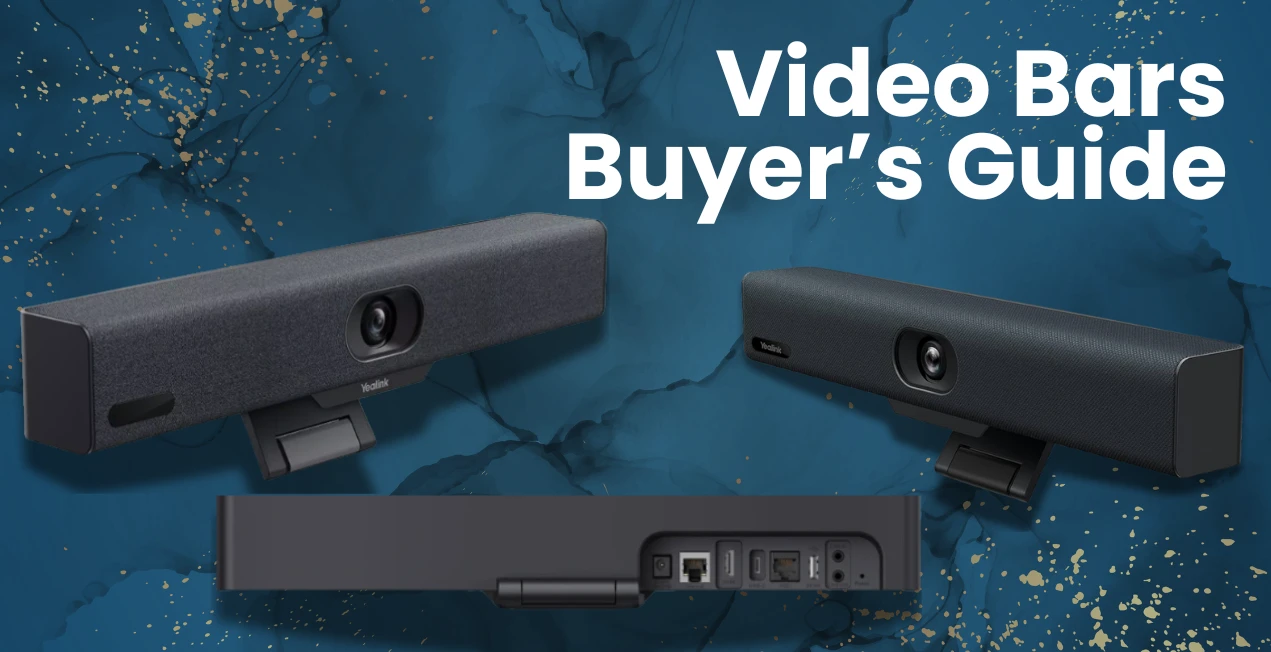
If you struggle with glitchy video calls, vague sound, or a camera that makes your team look like broken and pixilated, then this Video Bar Byer’s Guide is for you. Whether you’re upgrading your conference room or setting up an up-to-date hybrid workspace, going for a suitable video bar can transform your meetings from “Can you hear me?” to “Wow, that was so smooth.”
Video bars have become the backbone of modern collaborations; they have a combination of cameras, microphones, and speakers in one professional-looking device. But with so many models and features out there in the marketplace, knowing which one can truly perform the way you need, and not to forget the budget range, can be overwhelming.
In this guide, we will help you understand everything you need to know in simple words, before choosing a video bar, with an easy-to-understand comparison of our top brands, Yealink and Owl Labs, two of the most talked-about names in the market.
By the end, you will know which brands are capable of bringing the most value to your setup and where to get the original product from trusted distributors in the USA.
Why You Need a Video Bar in 2025
Gone are the days when everything happened onsite and when webcams and external mics were enough. Hybrid work setup, remote collaboration, and high-quality client calls now demand all-in-one systems that just work with no unorganized cables or software clutter.
What video bar offers?
- A crystal-clear 4K video.
- Automatic framing and speaker tracking system.
- High-fidelity sound.
- Easy plug-and-play installation.
- Smooth compatibility with platforms like Zoom, Microsoft Teams, and Google Meet.
It’s a single, smart device that can easily replace multiple gadgets and reduce mess into elegance and class. It is a perfect fit for small to large meeting rooms and huddle spaces.
💡 Pro Tip:
Before going for any option, first make a list of your room size, meeting frequency, and preferred platforms you use for your meetings and client calls, etc. It will help you understand your needs better, and you’ll be clear about which product you should invest in.
Understand the Basics: What to Look for in a Video Bar
Every good Video Bar Buyer’s Guide starts with the essentials. These are the key features that actually impact your daily experience — not just marketing buzzwords.
Feature | What It Means | Why It Matters |
Camera Resolution | 1080p or 4K quality | The higher, the clearer your visuals — crucial for hybrid teams. |
Field of View (FOV) | Angle of how much the camera captures | Wide FOV (120°–133°) ensures everyone is visible in small rooms. |
AI Framing & Tracking | Auto-adjusts the camera to active speakers | Keeps focus, natural, and professional. |
Microphone Array | Multiple built-in mics that capture sound | Ensures clarity even from a distance. |
Speaker Quality | Determines how natural voices sound | Avoids distortion and echo during meetings. |
Mounting Options | Wall, tabletop, or display mount | Flexibility for any room setup. |
Software Integration | Zoom, Teams, Google Meet, etc. | Hassle-free connection to your preferred platform. |
👉 Spogmey Tip: Look for gadgets that can smoothly connect and support both USB and wireless connectivity — they streamline installation and future-proof your system.
Meet the Contenders: Yealink vs Owl Labs
When it comes to professional meeting spaces, Yealink and Owl Labs are the leading ones in the race of innovation. Both offer all-in-one video bars designed for flawless hybrid collaboration, but their approach and technology differ.
Let’s break it down ⬇️.
🟢 Yealink — Precision and Power
Yealink has made its strong impression on enterprise-grade video solutions that combine power, simplicity, and flexibility. Regardless, it’s the packed Yealink MeetingBar A20, the multi-purpose A30, or the advanced A50; each model is developed to handle different room sizes with minimal setup inconvenience.
The main charm is in Yealink’s AI-driven camera system, noise suppression technology, and auto-framing, guaranteeing everyone looks and sounds sharp and clear.
Check out our collection of top-class Yealink products and choose one that suits your needs and systems the most.
Here’s what makes Yealink stand out among others:
- AI-powered auto-framing and speaker tracking
- Integrated Android OS for native Zoom or Teams experiences
- Noise Proof technology to remove background distractions
- Dual 4K cameras (on select models like A50 and A40)
- Wireless content sharing via Yealink WPP30 or Miracast
- One-touch join for instant meetings
User comment 💬
“Setting up Yealink’s MeetingBar A30 in our New York office was the easiest upgrade ever — 10 minutes, and we were live on Teams with stunning clarity.” — Marissa G., Operations Lead, NY.
If your main goal is professional-level meetings with minimal IT involvement, Yealink is built for you.
👉 Explore more Yealink meeting solutions at Spogmey’s Yealink Collection to find models that fit your exact room size.
🟣 Owl Labs — Simplicity Meets Smart Collaboration
Owl Labs, mainly known for its standout gadgets that are Meeting Owl 3 and Owl Bar, has reshaped the definition of small-room and hybrid meeting experiences. Their products have a unique 360° camera and automatic speaker detection that make meetings feel live and engaging.
Key strengths include:
- A 360° wide range camera that captures the entire room.
- Automatic speaker focus that zooms in on whoever’s talking inside the meeting room.
- Plug-and-play setup (no complex software required).
- AI noise and echo cancellation.
- Wi-Fi connectivity and app-based controls.
- Perfect for small-to-medium-sized hybrid teams.
User Comment 💬:
“The Owl Bar makes our remote meetings feel natural — no one feels left out or unnoticed anymore.” — Dylan R., Project Manager, Austin, TX
Owl Labs is perfect for teams that focus on ease of use and equality, specifically when it comes to startups and hybrid work environments, where simplicity is the winning situation.
👉 Check out the latest Owl Labs video bars at Spogmey — perfect for flexible team setups.
Yealink vs Owl Labs: Top Feature Comparison
Feature | Yealink | Owl Labs |
Camera Type | Dual 4K cameras (wide + telephoto) | 360° panoramic single lens |
Field of View (FOV) | 120°–133° depending on model | Full 360° coverage |
Auto Framing | AI-driven speaker tracking | Automatic focus on the active speaker |
Audio Quality | Noise Proof & echo cancellation | Smart echo reduction |
Compatibility | Zoom, Teams, Google Meet | Zoom, Teams, Meet, Webex |
Installation | Plug-and-play, wall, or display mount | Plug-and-play, table mount |
Ideal For | Mid-to-large rooms | Small-to-medium hybrid teams |
Final Verdict:
Choose Yealink:
If you want enterprise-grade visuals, superior camera quality, and versatility for different room sizes.
Choose Owl Labs:
If your priority is inclusivity and all-around simplicity for hybrid collaboration.
Check the full category of OWL Labs to get a product that makes your whole meeting experience stress-free.
Yealink Lineup Breakdown: Which One Fits Your Room?
When selecting a video bar, one size doesn’t always fit all, and that’s exactly why Yealink designed its MeetingBar lineup to scale with your workspace. Whether it’s a solo office, a huddle zone, or a boardroom, there’s a model made for you that can fix what you need.
Let’s go room-by-room ⬇️
Room Size | Recommended Model | Why It Works | Key Highlights |
Huddle Rooms (2–6 people) | Yealink MeetingBar A20 | Compact yet powerful | 20MP 4K camera, 133° FOV, AI auto-framing |
Medium Rooms (6–12 people) | Yealink MeetingBar A30 | Dual-camera system | 8MP telephoto + 8MP wide lens, beamforming mics |
Large Rooms (12+ people) | Yealink MeetingBar A50 | Premium performance | 4K dual lenses, extended mic coverage, Zoom/Teams certified |
Yealink’s MeetingBar A50 has earned special recognition; it’s the 2025 powerhouse for mid to large spaces. The A50 merges dual 4K lenses, 12x hybrid zoom, and AI-powered speaker tracking for meetings that look broadcast-quality.
💡 If you’re upgrading the system of multiple rooms, the A30 and A50 combo creates a consistent video experience across office spaces — saving setup time and IT headaches.
Explore more options of Yealink MeetingBars at Spogmey to match each model with your conference room size and collaboration style.
Yealink’s Intelligent Meeting Experience
Where Yealink shines is its AI-enhanced collaboration technology. This isn’t just about image sharpness, it’s about how naturally meetings flow.
Here’s how Yealink keeps meetings smart and stress-free:
- AI Tracking and Auto Framing: Focuses on whoever’s speaking and adjusts automatically.
- People Counting: Detects how many participants are in the room for optimized framing.
- Noise Proof Technology: Filters out background distractions (like keyboard taps or HVAC sounds).
- Wireless Content Sharing: Use Yealink WPP30 or built-in AirPlay/Miracast for instant sharing.
- Native App Integration: No need to launch meetings from a laptop — just use the touch controller or remote.
Yealink’s “it just works” approach is a lifesaver for hybrid teams and IT managers alike.
User Comment 💬:
“With Yealink’s A50, we’ve cut meeting prep time in half. The AI auto-framing works flawlessly — even our CEO noticed the upgrade.” — David L., Tech Director, Chicago, IL
👉 Check Yealink’s AI-powered MeetingBars at Spogmey’s Yealink category — and get yourself or your business a perfect meetingbar that is specifically designed for hybrid work environments, before it’s too late.
Owl Labs: The All-Around Hybrid Champion
If Yealink is precision and control, Owl Labs is personality and presence. Its Meeting Owl 3 and Owl Bar focus on natural communication, ensuring remote participants feel just as present as those in the room.
Feature | Meeting Owl 3 | Owl Bar |
Camera | 360° 1080p panoramic | 4K ultra-wide lens |
Audio | 8 smart beamforming mics | Directional audio tracking |
Speaker Focus | Automatic active speaker detection | Multi-person auto framing |
Integration | Works with Zoom, Teams, Webex | Syncs with Meeting Owl 3 |
Ideal Room Type | Huddle & small rooms | Medium-sized spaces |
Real-Life Feel, Real-Time Focus
Contrary to front-facing video bars, Owl Labs devices are designed to capture the entire room, rather than having attendees sit in the lens range. When someone speaks, the camera automatically detects and zooms towards them, giving remote viewers a true sense of who’s talking.
- The Owl Bar can pair with the Meeting Owl 3 to expand room coverage.
- Each device includes AI noise equalization to keep voices balanced, no matter the distance.
- Smart lighting correction keeps faces visible even in low-light environments.
User Comment 💬:
“We’re a hybrid design team — Owl Labs makes it feel like everyone’s at the same table again.” — Sandra P., Creative Director, Seattle, WA
👉 Check out Spogmey’s Owl Labs collection to bring 360° collaboration to your workspace.
💡 Side-by-Side: Yealink vs Owl Labs Performance Comparison
Category | Yealink | Owl Labs | Verdict |
Video Quality | Dual 4K lenses with AI optimization | 1080p–4K panoramic | Yealink for clarity |
Audio Pickup | 8–12 beamforming mics | 8 beamforming mics | Tie — both are strong |
AI Framing | Advanced facial & voice tracking | 360° speaker focus | Depends on room layout |
Noise Suppression | AI Noise Proof tech | Smart balancing | Yealink slightly better |
Ease of Setup | Plug-and-play + native Zoom/Teams | Simple USB + app setup | Tie |
Best For | Boardrooms, enterprise teams | Hybrid startups, small teams | Choose based on space |
Quick Takeaway:
- If your meetings involve clients, executive teams, or larger spaces, Yealink gives unmatched precision.
- If your team is creative, hybrid, or roundtable-style, Owl Labs delivers inclusivity and ease.
👉 Need help choosing? Chat with a Spogmey video conferencing experts here to match your setup to the right device.
Both Yealink and Owl Labs have mastered the art of stress-free setup.
Setup Step | Yealink | Owl Labs |
Mounting Options | Wall, display, or table mount | Table or tripod mount |
Connection Type | HDMI, USB, Bluetooth, Wi-Fi | USB, Wi-Fi |
App Integration | Teams, Zoom Rooms (native) | Owl Connect App |
Average Setup Time | 10–15 minutes | 5–10 minutes |
For most users, it’s plug, connect, and start — no drivers, no firmware hassles. Spogmey also provides installation support and accessories (like mounts and extension mics) for businesses upgrading multiple rooms.
👉 Explore Spogmey’s accessories collection for mounts, cables, and mic expansions that complete your setup.
Buyer’s Checklist: How to Pick the Right Video Bar
Before you click the “Buy Now” button, here’s a brief checklist to ensure you’re investing in the perfect fit:
✅ Check your room size first (small, medium, or large).
✅ Check compatibility with your meeting platform (Zoom, Teams, etc.).
✅ Choose according to your need, between front-facing (Yealink) or 360° (Owl Labs) camera style.
✅ Review your audio range needs — expansion mics may help with larger spaces more.
✅ Confirm firmware support and future updates (Yealink excels in this part).
✅ For final purchase, go for a U.S.-based warranty and authorized reseller — Spogmey is one of its kind.
💡 Pro Tip:
For growing teams, choose a dependable device that supports adding additional cameras or microphones later, incase needed.
👉 Shop confidently at Spogmey’s Video Conferencing page — all products are U.S.-authorized with warranty coverage, go and grab yours before it all goes out.
Pricing & Value: Which Video Bar Gives You More for Your Money
Let’s face it — no matter how great specs are, at the end of the day, price-to-performance matters most. You want a video bar that gives professional quality without overpaying for things you won’t use afterwards.
Here’s a general comparison to help you gauge value:
Model | Approx. Price (USD) | Room Type | Included Features |
Yealink MeetingBar A20 | $1,200–$1,500 | Small rooms | 20MP camera, AI auto framing, Teams/Zoom ready |
Yealink MeetingBar A30 | $1,800–$2,000 | Small rooms | Dual 8MP cameras, noise suppression, wireless sharing |
Yealink MeetingBar A50 | $2,500–$3,000 | Large rooms | Dual 4K lenses, advanced AI tracking, wide mic coverage |
Owl Labs Meeting Owl 3 | $1,050–$1,200 | Huddle/small rooms | 360° camera, auto speaker focus, plug-and-play setup |
Owl Labs Owl Bar | $1,800–$2,100 | Medium rooms | 4K panoramic lens, multi-device sync, noise control |
💬 “We chose Yealink A30 for our growing San Francisco team. It’s the perfect middle ground — great video, affordable, and zero setup hassle.”
— Renee T., Office Manager, San Francisco, CA
💬 “Owl Labs made hybrid collaboration seamless. Everyone feels involved, even those dialing in from home.”
— Michael S., Product Designer, Denver, CO
🏆 Final Verdict:
- If your company prioritizes adaptability, long-term updates, and high-end integration, Yealink offers greater ROI.
- If your priority is simplicity and 360° inclusivity, Owl Labs hits the sweet spot for smaller teams.
Integration and Ecosystem:
Your video bar doesn’t operate alone; it is basically part of your ecosystem. The more flawlessly it connects to your existing tools, the smoother your workdays become.
Yealink devices are certified for:
- Microsoft Teams Rooms (MTR)
- Barco ClickShare Conference
And support for AirPlay, Miracast, and Yealink’s native sharing pod (WPP30) makes presenting as simple as one tap.
Owl Labs, on the other hand, takes a platform-agnostic approach — their video bars work instantly with any conferencing software via USB connection.
💡 If your team uses multiple platforms and tends to switch from one to another frequently — Zoom one day, Google Meet the next — Owl Labs might offer smoother flexibility.
👉 Find platform-ready systems in Spogmey’s certified device list — every model is verified for compatibility and performance.
The Evolution of Video Bars (and Why It Matters in 2025)
This video bars buyer’s guide will show you that video bars are not new, they are upgraded with the passage of time over past few years.
Old systems needed complex integrations, codec boxes, and a dedicated control panel. Modern video bars like Yealink A50 and Owl Labs Owl Bars now include:
- Built-in operating systems.
- Wireless presentation tools.
- AI people tracking.
- Smart room analytics.
In 2025, it is not limited to connection, but it’s about collaborating smartly. Businesses now expect low-latency communications, data-driven insights, and energy-efficient systems, and both brands, whether it’s Yealink or Owl Lab they deliver that.
Spogmey Expert Tip: Avoid Overbuying
It’s easy to think “the more expensive, the better.” But that’s not always true.
If your space is small (say, 4–6 people), a Yealink A20 or Owl Labs Meeting Owl 3 is more than enough. Larger models like the A50 are amazing, but they shine in mid to large rooms with complex layouts.
Buying the right fit ensures:
✅ Better audio balance
✅ Less echo
✅ No wasted coverage
✅ A cleaner installation aesthetic
👉 Visit Spogmey’s Room Size Selector Tool to find which video bar suits your meeting area best.
Comparative Summary: Yealink vs Owl Labs 2025
Aspect | Yealink (A20 / A30 / A50) | Owl Labs (Meeting Owl 3 / Owl Bar) |
Video Quality | 4K Dual Lenses | 1080p–4K 360° |
Audio Capture | Beamforming + Noise Proof | Beamforming + Equalization |
AI Features | Tracking, Framing, People Count | Speaker Detection, Auto Framing |
Ease of Setup | 10–15 mins, native platform support | 5–10 mins, plug-and-play |
Room Size | Small to large | Small to medium |
Integration | Zoom, Teams, Meet | Universal USB apps |
Best For | Enterprises, corporate setups | Hybrid & creative teams |
💡 Final Verdict:
If you want enterprise consistency, go with Yealink.
If you want hybrid inclusivity, go to Owl Labs.
👉 Explore both options at Spogmey’s Video Collaboration Hub — featuring complete specs, warranty info, and expert buying support.
The Smart Way to Upgrade in 2025
Whether your office is based on a hybrid setup or fully in-person, investing in a suitable video bar sets your communication standards for years without compromising on delivery.
- With Yealink, you’ll get a product that features AI precision, reliability, and premium design.
- With Owl Labs, you are going to get a gadget that has classic simplicity and 360° engagement, and inclusive collaborations.
But whatever direction you lean, the best part is? You don’t have to guess. Spogmey presents both these top-class brands under one trusted USA-based store — with expert assistance, genuine hardware with warranty, and support that continues even after purchase.
👉 Ready to upgrade your meetings? Visit Spogmey’s Video Bar Collection to find the perfect model for your space. We deliver products that have warranties and licenses, so that you can shop without hesitation or trust issues.